Blog

How To Create A Photo Calendar In Microsoft PowerPoint

What Can You Use Personalized PowerPoint Photo Calendars for?

A personalized photo calendar is a great way to provide loved ones with updated family pictures during holidays and birthdays. You can print them out on regular paper or cardstock, or send your projects to family and friends digitally. It’s simple to complete in Microsoft PowerPoint, even if you don’t consider yourself the artsy type. It’s also a fun project to show off pictures of employees or coworkers?
Read More

How To Add A Contact In Microsoft Outlook

Adding a new name and email address to your list of Microsoft Outlook contacts is pretty simple. There are two different ways you can do it depending on whether you want to add the contact information from an email or just want to create a brand new contact.

How to Add a Contact From an Email

1. Right-click the name of the sender in the heading of the email from whom you want to add as a contact.

Read More

What Are The Top Cybersecurity Predictions For 2019?

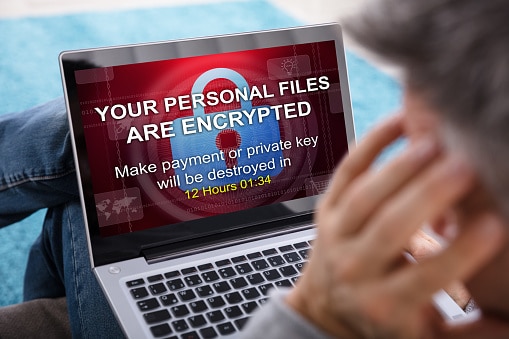
Several events in 2018 brought cybersecurity to the forefront of public consciousness, as major sectors– from financial institutions to Facebook– were affected by cybercrime. According to Forbes34 percent of US consumers had their personal information compromised in 2018. Security experts and business leaders are constantly looking for ways to keep two steps ahead of hackers. As we ring in the new year, predictions for 2019 are a popular topic. Here is what’s anticipated this year in the cybersecurity realm.

Read More

Windows 7: Under One Year Until Support Ends

Use Windows 7? Do you love your Windows 7? Will your need or desire to continue to use Windows 7 surpass this year? If so, you should be aware that in just under one year — January 14, 2020, specifically — Windows 7 Extended Support ends for most users. As such, there are things you need to know and decisions you may have to make. This is your guide to understanding what the expiration of Windows 7 Support may mean for you in one year.

Read More

3 Easy Steps To Secure Word Documents With A Password

Do you regularly send sensitive documents via email? If so, you are probably careful to double check that you have included the right recipient; you might even go one step further by adding a read receipt to the email. The next step that you could take when sending sensitive documents via email, is to use an encrypted email. However, if you truly want to protect sensitive documents that contain either personal or business assets, then you should consider the benefits of using Microsoft Word’s latest password protection feature.

Read More